LumiFine: Film-style photo editor and mobile collage maker
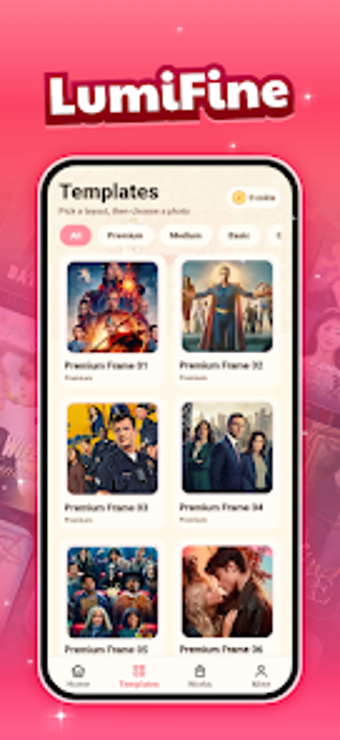
LumiFine by ISLAND RISE BAKERY is a privacy-minded Android photo editor and collage maker for mobile photographers. The app provides grid-based collage construction, film-inspired frame templates, decorative stickers, and basic element controls for scaling, rotation, and placement, enabling stylized layouts and quick single-photo edits. All media processing and storage remain local to the device, which appeals to photography enthusiasts and Android users who want a compact, privacy-conscious tool for casual creative work. The app uses a lightweight APK, which keeps storage footprint small on device.
How the app structures a mobile editing workflow
The app sequences image import, layout selection, element adjustment, and final save as an on-device workflow that produces share-ready images without leaving the phone. In practice the user composes a multi-photo layout, applies a chosen aesthetic overlay, positions decorative elements precisely, and then keeps the edited file in local storage. This approach keeps every step on-device and simplifies exporting through the device’s normal photo or gallery tools.
Does the app affect device responsiveness during use?
The developer designs the package as a compact install, which reduces storage footprint and helps performance on a variety of hardware. Because media processing occurs locally, network activity remains minimal during editing. The app also notes a requirement for a standard modern Android build for optimal responsiveness, so performance may vary on older devices; this requirement is the main system compatibility consideration.
Does the app maintain user privacy and data security?
The tool adopts a privacy-first model by keeping edited images and creative files stored on the device rather than in external servers. That design removes cloud-based collection from the editing flow and lowers external exposure risk. Trade-off: the local-only model means users do not get automatic cloud backups or cross-device syncing unless they copy files out manually.
Who finds the interface and controls appropriate?
The interface emphasizes quick mobile edits through a straightforward layout aimed at casual users, while offering element-level controls that suit hobbyists who want precision placement. Nontechnical users can perform basic compositions without a steep learning curve, while enthusiasts benefit from the placement and transform controls that enable finer adjustments when composing collages and themed images.
The app is a practical pick for privacy-conscious mobile creators
The app is a practical option for Android photography enthusiasts who need on-device, film-style editing and compact installation; its main trade-off is dependence on a modern Android environment, which may exclude older hardware. For smoother workflows, save finished projects to a dedicated folder so sharing through other apps is immediate. Recommended.